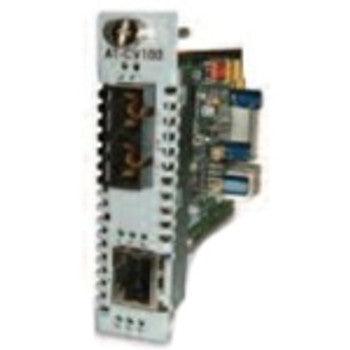
To change a 100 BASE‑TX (copper) interface to a 100 BASE‑FX (single‑mode) interface with an SC connector, follow these steps:
1. **Confirm hardware compatibility** – Check that the device’s slot accepts pluggable optics (SFP/SFP+ or GBIC). If it only has an RJ‑45 port, you’ll need an external media converter rather than a direct swap.
2. **Select the proper optic** – Purchase a 100 BASE‑FX SFP module that terminates with an SC ferrule and matches the fiber type you’ll use (single‑mode for long runs, multimode for short runs). Verify the part number is approved for your equipment’s firmware version.
3. **Power down the device** (or place the port in a disabled state) before removing the existing TX transceiver or unplugging the RJ‑45 cable.
4. **Insert the FX module** – Align the keying notch and slide the SFP fully into the slot until it clicks. Secure any retaining clip if present.
5. **Connect the fiber** – Clean the SC connectors with a lint‑free wipe and isopropyl alcohol, then mate the SC plugs. Ensure the fiber is routed with proper bend radius and strain‑relief.
6. **Configure the port** – In the device’s management interface, set the port speed to 100 Mbps full‑duplex (if not auto‑negotiated) and enable the SFP. Save the configuration.
7. **Test the link** – Verify link lights, run a ping or throughput test, and check for errors. If the link fails, re‑inspect the fiber cleanliness, connector seating, and module compatibility.
8. **Document the change** – Record the new part numbers, serial numbers, and any firmware updates for future reference.
If the device lacks a pluggable slot, install a dedicated 100 BASE‑TX‑to‑FX media converter: connect the existing RJ‑45 cable to the converter’s copper port, attach SC‑terminated fiber to the converter’s optical port, and then link the converter to your network. After powering up, repeat the testing steps to confirm a stable 100 Mbps fiber link.
Buy Now, Pay Later
Stretch your budget further at Orange Hardwares! We understand that getting the tech you need can sometimes come with a wait. That's why we offer Buy Now, Pay Later options, allowing you to spread the cost over time and enjoy your new equipment right away.
Fast Shipping & Safe Delivery
Don't wait to get started on your next project. At Orange Hardwares, we prioritize getting your IT essentials to you quickly and securely. Enjoy fast shipping options and rest assured knowing your equipment is protected during transit.
I had an excellent first time buying experience from these guys. They were quick to respond to an issue I had and actually gave me a call to resolve it with me! They provided me a alternative option for my purchase and updated my order accordingly. The order arrived quickly and protected. I was nervous about getting a refurbished drive but I tested it just yesterday and found it was at 200 hours of run time, basically new!
I will definately be returning to Orange Hardware for my future needs. Their service is unmistakably unique and professional.
Great experience purchasing from Orange Hardwares. While the specific part I purchased was not in stock, they gave me an equivalent that worked just fine. Great service! Very good packaging.
This is a good unit. It does VHS and DVD. I had one like this before but was not working, so i bought this new unit.
I have a ton of VHS and a lot of DVD's. VHS has a cult following ...the one local Drive In had VHS Fest.
It is hard to find a good VHS / DVD unit and was happy to find this here from Orange Hardware.
The Lenovo switch I purchased is compact and efficient. It has improved my network's performance significantly. Orange Hardwares delivered it promptly.
The Fujitsu solid state drive I got from OrangeHardwares has improved my system's speed significantly. Quick delivery and good customer support. Very pleased.
Fujitsu power supplies are reliable, and the one I bought from Orange hardwares is no exception. Keeps my system running smoothly. Very happy with my purchase.
IBM Thinkpad motherboard I purchased is sturdy and reliable. It has significantly improved my system's performance. Orangehardwares delivered it quickly.
Western Digital solid state drives are incredibly fast and durable. OrangeHardwares.com provided quick delivery and excellent packaging. Very happy with my purchase.
The IBM hub I purchased is perfect for my networking needs. Easy to set up and reliable performance. Highly recommend OrangeHardwares.com for networking gear.
OrangeHardwares.com delivered my Intel processor promptly. The processor's performance is outstanding, handling all my tasks effortlessly. Great value for the price.
Seagate storage devices have always been my go-to, and OrangeHardwares.com did not disappoint. Fast shipping and excellent customer service. Will buy again!
I needed a robust storage solution, and Juniper delivered. The storage device from OrangeHardwares.com is fast and reliable. Excellent product and service.
The Intel power supply I bought from Orange Hardwares is efficient and quiet. It provides consistent power to my system. Very happy with this purchase.
Dell storage devices are dependable, and the one I ordered from OrangeHardwares.com arrived on time and in perfect condition. Great experience overall.
The Lenovo power supply I got from OrangeHardwares is reliable and efficient. It keeps my system running without any issues. Very satisfied with this purchase.
Dell SSDs are known for their performance, and the one I got from OrangeHardwares.com is no different. My computer runs faster than ever. Great service!
The drive was exactly what we needed. We sent a photo of the old drive which was approx 10 years old and Orange was able to provide a new OEM to match. Delivery was by FedX at no additional charge and it arrived early. We attached it to the frame and inserted it into the QNAP server and it worked flawlessly. GOOD JOB ORANGE!
Product arrived as promised
Product was correct part
Installed
Worked perfectly
20 year old laser printer up and running
Note this Dell 1720dn xl
Was found recently in storage shed still in manufacture box never used
Purring right along niw
This power supply is exactly what I needed. I just wonder how much use it's had before I received it. I know it's refurbished, so I'm a little concerned about how long it's going to last. Also, I was expecting delivery to take about 5 days. It actually took 10 days. My customer was very anxious about the amount of time it took to receive it. Overall, this was a good purchase.
We currently ship to anywhere in the world. To enquire about shipping to a different destination, please contact us.
How long will it take to receive my order?
Standard shipping normally takes 3-5 days. Next day shipping is available on all domestic orders (for an additional charge). International shipping times depend on the products and destination (estimated at checkout).
Returns and Refunds
How do I return a product?
Items must be returned within 30 days after receiving your order. Items must be returned in the same condition in which they were received, be unworn/unused, have any tags still attached, and include all the original packaging.
How long will it take to receive my refund?
Refunds are processed within 7 days from when we receive the item(s).
Your cart
Allied Telesis
Convert on Module 100TX to 100FX (SC)
$442.35
$486.59
Unit price /
Unavailable
To change a 100 BASE‑TX (copper) interface to a 100 BASE‑FX (single‑mode) interface with an SC connector, follow these steps:
1. **Confirm hardware compatibility** – Check that the device’s slot accepts pluggable optics (SFP/SFP+ or GBIC). If it only has an RJ‑45 port, you’ll need an external media converter rather than a direct swap.
2. **Select the proper optic** – Purchase a 100 BASE‑FX SFP module that terminates with an SC ferrule and matches the fiber type you’ll use (single‑mode for long runs, multimode for short runs). Verify the part number is approved for your equipment’s firmware version.
3. **Power down the device** (or place the port in a disabled state) before removing the existing TX transceiver or unplugging the RJ‑45 cable.
4. **Insert the FX module** – Align the keying notch and slide the SFP fully into the slot until it clicks. Secure any retaining clip if present.
5. **Connect the fiber** – Clean the SC connectors with a lint‑free wipe and isopropyl alcohol, then mate the SC plugs. Ensure the fiber is routed with proper bend radius and strain‑relief.
6. **Configure the port** – In the device’s management interface, set the port speed to 100 Mbps full‑duplex (if not auto‑negotiated) and enable the SFP. Save the configuration.
7. **Test the link** – Verify link lights, run a ping or throughput test, and check for errors. If the link fails, re‑inspect the fiber cleanliness, connector seating, and module compatibility.
8. **Document the change** – Record the new part numbers, serial numbers, and any firmware updates for future reference.
If the device lacks a pluggable slot, install a dedicated 100 BASE‑TX‑to‑FX media converter: connect the existing RJ‑45 cable to the converter’s copper port, attach SC‑terminated fiber to the converter’s optical port, and then link the converter to your network. After powering up, repeat the testing steps to confirm a stable 100 Mbps fiber link.